Keeping is a promise about ten years from now
Every recipe keeper makes an implicit promise: save it here, and it will be here when you want it. The history of recipe software is littered with broken versions of that promise — services that shut down, formats nobody can open, libraries held behind subscriptions that quietly doubled. Choosing a keeper is therefore less about features and more about exits: how your recipes are stored, and how completely you can take them with you.
RecipeKeep was designed exit-first. Your library lives in your browser on your device — there is no server copy to vanish when a company pivots. The export button produces one open, readable file containing your recipes, collections, favorites and plan, and the import button reads such files on any device. If RecipeKeep disappeared tomorrow, your collection would not notice; you would import the file into whatever you chose next. That is what “keeper” should mean.
What deserves keeping (and what doesn't)
A keeper fills up fast if you save everything you scroll past, so experienced keepers develop a rule. Save cooked-and-loved recipes immediately, with a note while the memory is fresh. Save untested recipes only when they pass the “would I buy ingredients for this?” test — aspiration is not a plan. And keep a ruthless “To Try” collection with a monthly prune: a recipe that survives three prunes uncooked has earned its place; one that keeps getting skipped is telling you something.
The recipes most worth keeping are often the least glamorous: the soup your household actually requests, the cake that has never failed, the sauce ratio you finally nailed. Keepers who write one line of context — “doubled the garlic, kids ate it twice” — turn a library into a memory. RecipeKeep's step editor makes adding that line to your own copy of any recipe a ten-second job.
Keeping the fragile stuff: cards, clippings and screenshots
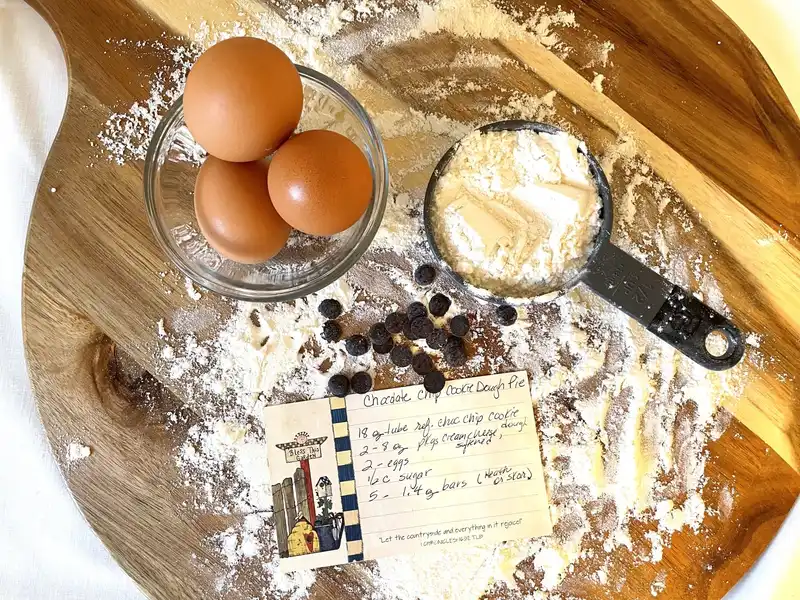
Every family has a fragile archive: a card in fading ink, a clipping glued into a notebook, a screenshot of a screenshot. Digitising it is the highest-value hour you can spend in a kitchen. Photograph everything first — that is your safety copy. Then type the essentials into the keeper: title, ingredients, steps, and the attribution (“Gran, via Aunt May's card”) while someone still remembers it.
Do not aim for perfection in the transcription. Old recipes are famously terse — “bake in a moderate oven till done” — and the keeper's job is preservation, not editing. Add your own clarifications as separate notes in the steps, marked as yours, so the original voice survives alongside the instructions a modern cook needs. File them in a family collection, export the backup, and send a copy to the relative most likely to ask.
Keeping across devices and years
Devices change faster than recipes do, so a keeper must treat moving as normal. RecipeKeep's library file is the moving van: export on the old phone, import on the new one, and your collections arrive intact. The same file is your backup against the mundane disasters — a cleared browser, a lost phone, a child's enthusiastic settings exploration.
Make the backup a ritual rather than a rescue: export after any big saving session, and once at a fixed point in the year — many keepers do it when they do their tax paperwork or their New Year tidy. A backup that exists is worth more than a sync you trust, because you can hold it, send it and check it. Keeping, in the end, is a habit with a tool attached.
Questions, answered
What is a recipe keeper app?
A recipe keeper is an app whose first job is keeping: capturing recipes from wherever they live — websites, captions, books, handwriting — and storing them safely as your own data. The word emphasises rescue and permanence over planning features. In practice the best keepers also organise and help you cook, but the test of a keeper is simpler: will this recipe still be here, readable and complete, in ten years?
How is a recipe keeper different from saving posts on social media?
A saved post is a bookmark inside somebody else's system: the creator can delete it, the platform can bury it, your account can be locked, and the recipe itself is often just a caption under a video. A keeper extracts the recipe into your own library — ingredients, steps, servings — stored on your device and exportable as a file. One is a pointer; the other is possession.
What is the safest way to keep family recipes?
Three copies, three kinds of place. Keep the original card or book untouched. Keep a photograph of it with your family photos. And keep a typed version in a recipe keeper, filed in a family collection, exported as a backup file once a year and shared with a relative. Any single copy can be lost; the combination is close to immortal — and the typed copy is the only one you can cook from, scale and search.
Can a recipe keeper app work without the internet?
A well-built one can, and in a kitchen it should. RecipeKeep is an installable web app: after the first load, your whole library — recipes, collections, planner, grocery list — works offline, because everything is stored on your device. The only features that need a connection are importing from a website and following a store link.
Do recipe keeper apps charge to unlock your own recipes?
Some do — library caps, export paywalls and sync subscriptions are common, and they are the features to check before you invest years of saving into any app. RecipeKeep's keeping is free without a cap, and the export of your full library is a standard button, not a premium feature. Whatever app you choose, export a backup early; if exporting is hard, that tells you something important.